
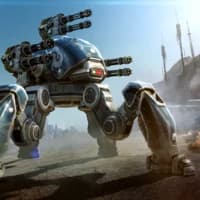
Screenshots
About War Robots
Battle massive robots in exciting mech combat — War Robots brings Android's most strategic robot battles to your Windows PC with seamless installation and intuitive mouse-keyboard controls.
Play Android robot games on PC effortlessly using the GameLoop emulator tool from Tencent. The installer automatically sets up everything you need, so there's no technical knowledge required. Simply download, launch, and jump into intense multiplayer robot warfare. Your computer becomes your gaming platform, with full adaptation to mouse and keyboard controls for smooth, responsive gameplay.
Recruit and customize your squadron of powerful combat robots throughout your campaign. As you progress through battles, you'll unlock new automatons and gain access to advanced weapon upgrades that increase precision and damage output against opponents. Build strategic team compositions by mixing different robot types and loadouts. The near-infinite combinations of robots and attack patterns ensure every battle feels fresh and unique. Develop tactics by marking robot movements and coordinating multi-unit assaults to dominate your enemies.
Experience cinematic 3D graphics that bring robot warfare to life. Detailed textures and layered rendering showcase every robot's features, weapons, and movement from every angle. Watch spectacular attack sequences unfold with stunning visual realism as your squad unleashes firepower against rival teams. The graphical fidelity makes each battle feel like an interactive action sequence.
The control system strips away complexity. Use your mouse to select attacks during combat and designate tactical positions for each robot. This streamlined interface means new players can jump in immediately while offering depth for strategic veterans. Your PC mouse becomes the perfect tool for commanding your robotic army in real-time battles.
Whether you're seeking competitive multiplayer robot battles, deep strategic squad customization, or simply want to experience Android's best mech combat games on Windows, War Robots delivers. The combination of accessible controls, strategic depth, and visual spectacle makes it the ultimate destination for robot combat fans seeking thrilling PC gameplay.
Pros & Cons
Pros
- Seamless mouse and keyboard controls optimized for PC gameplay
- Deep squad customization with hundreds of robot and weapon combinations
- High-fidelity 3D graphics bring mech combat to life visually
- Accessible controls for newcomers, strategic depth for experienced players
Cons
- Requires emulator installation and setup before first launch
- Multiplayer matchmaking may pair you against players with better gear
- In-game progression heavily incentivizes spending on robot upgrades
- Real-time combat can punish slower PC hardware with lag or frame drops
Related Apps

AMCap
Video capture software with flexible compression, deinterlacing, and TV tuner control for Windows.

HandBrake
Free video converter for MP4, MKV, WebM, DVDs, and Blu-rays with advanced codec and device presets.

Pixel Force Left 4 Dead
Retro arcade zombie shooter with 8-bit pixel art and Left 4 Dead-inspired survival action.

Intrusion 2
2D action platformer with grappling hooks, physics-based combat, and giant robots. Fast-paced retro arcade fun.

Pluto TV
Free TV streaming with live channels, movies, and series—no registration required. Watch instantly with Pluto TV.

Max: Stream HBO, TV, & Movies
Stream HBO, movies & TV shows on PC. Browse thousands of titles, download offline, adjust quality & subtitles.
Latest Articles
Best Adobe Audition alternatives for desktop in 2026 (7 tested)
Jul 10, 2026
Best AI computer-use agent apps for desktop in 2026 (we tested 7)
Jul 10, 2026
Best apps for a fresh Linux install in 2026 (7 picks the first hour)
Jul 10, 2026
Best apps for AI coding agent sandboxing on desktop in 2026 (we tested 7)
Jul 10, 2026
Best apps for Copilot+ PC NPU acceleration in 2026 (8 tested)
Jul 10, 2026